Sample QuickBooks Online Bookkeeping Project
A portfolio demonstration showcasing my bookkeeping workflow using a practice business scenario in QuickBooks Online.
This project was completed using a sample workbook for educational and portfolio purposes. No real client information is used.
About This Project
This case study demonstrates my bookkeeping skills using a sample business scenario. The project was designed to simulate real-world bookkeeping tasks commonly performed for small businesses — including transaction recording, bank reconciliation, account organization, and financial reporting.
Although this is not a real client engagement, it reflects the same workflow, attention to detail, and best practices I would apply in a professional bookkeeping environment.
What this project set out to demonstrate
Organize Financial Transactions
Sort and structure raw business activity into clean, categorized entries.
Maintain Accurate Records
Preserve a reliable audit trail through consistent bookkeeping practices.
Perform Bank Reconciliation
Match every posted transaction against source statements each month.
Prepare Financial Statements
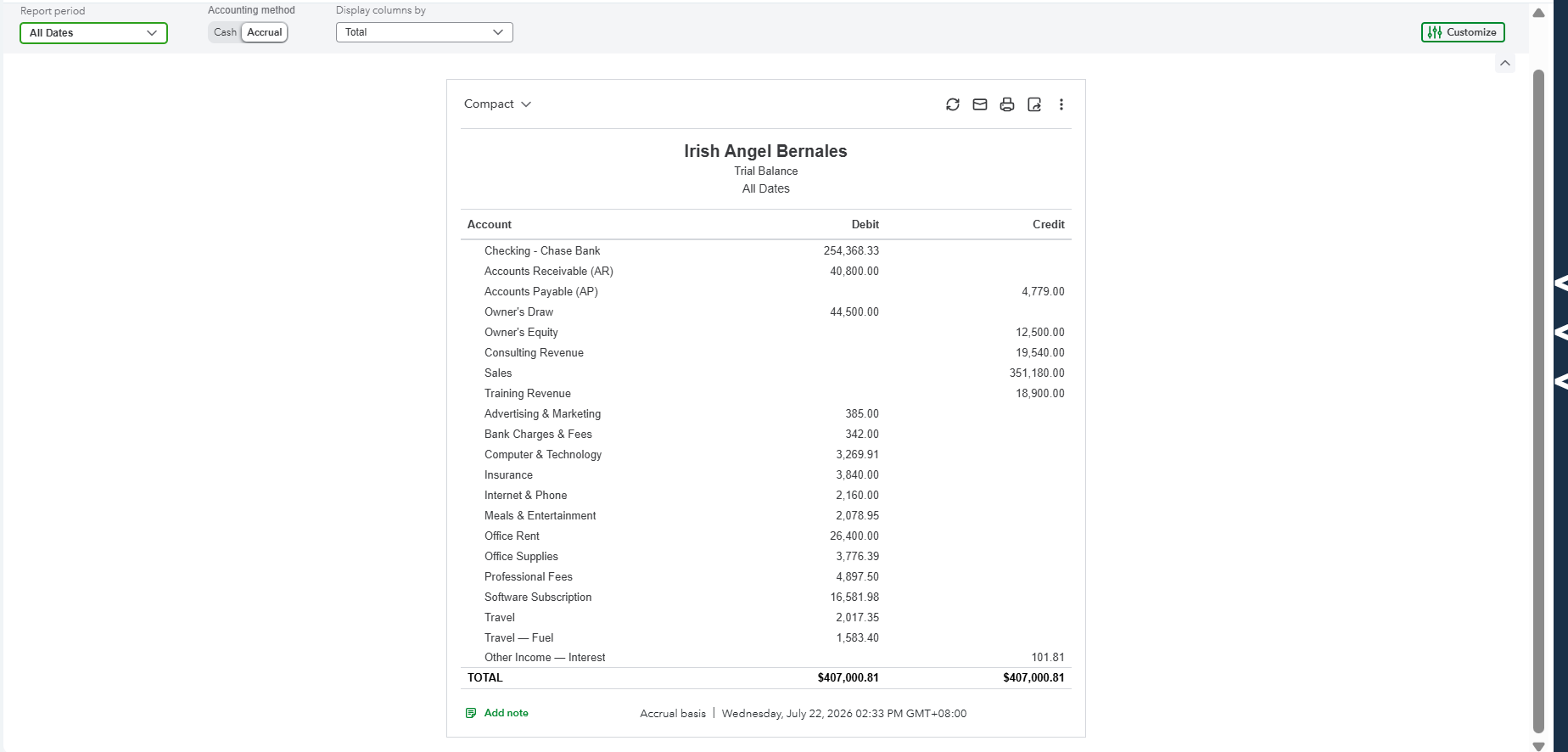
Deliver a P&L, Balance Sheet, and Trial Balance that leadership can act on.
Demonstrate QBO Proficiency
Use QuickBooks Online end-to-end — setup, feeds, rules, close, and reporting.
Follow Best Practices
Apply real-world bookkeeping standards used with small business clients.
A small retail business, on cash basis and accrual basis
This business scenario was created solely for portfolio demonstration.
An 8-step process, done thoughtfully
- 1
Step 1
Review the sample workbook and identify business transactions.
- 2
Step 2
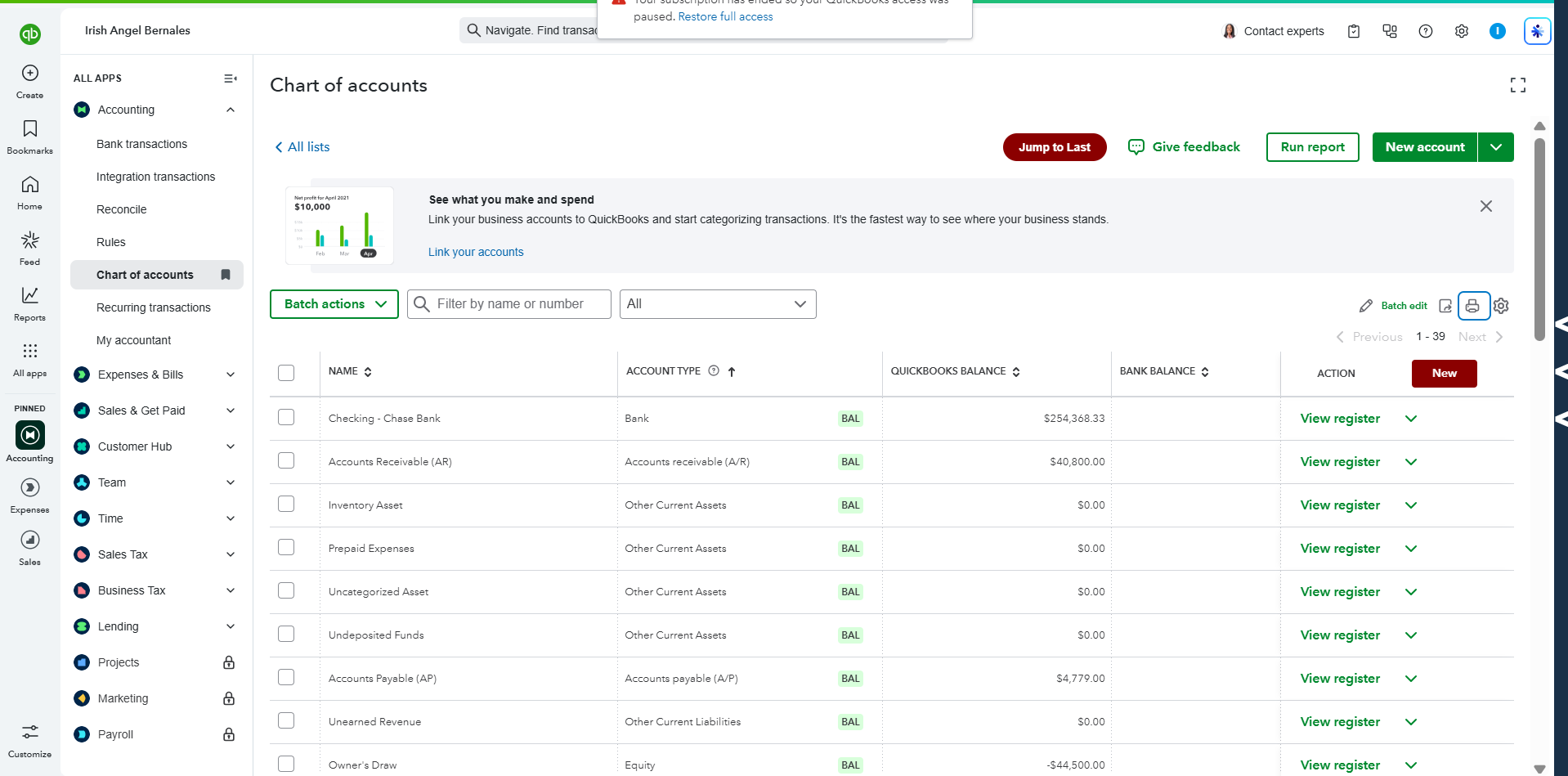
Create or review the Chart of Accounts.
- 3
Step 3
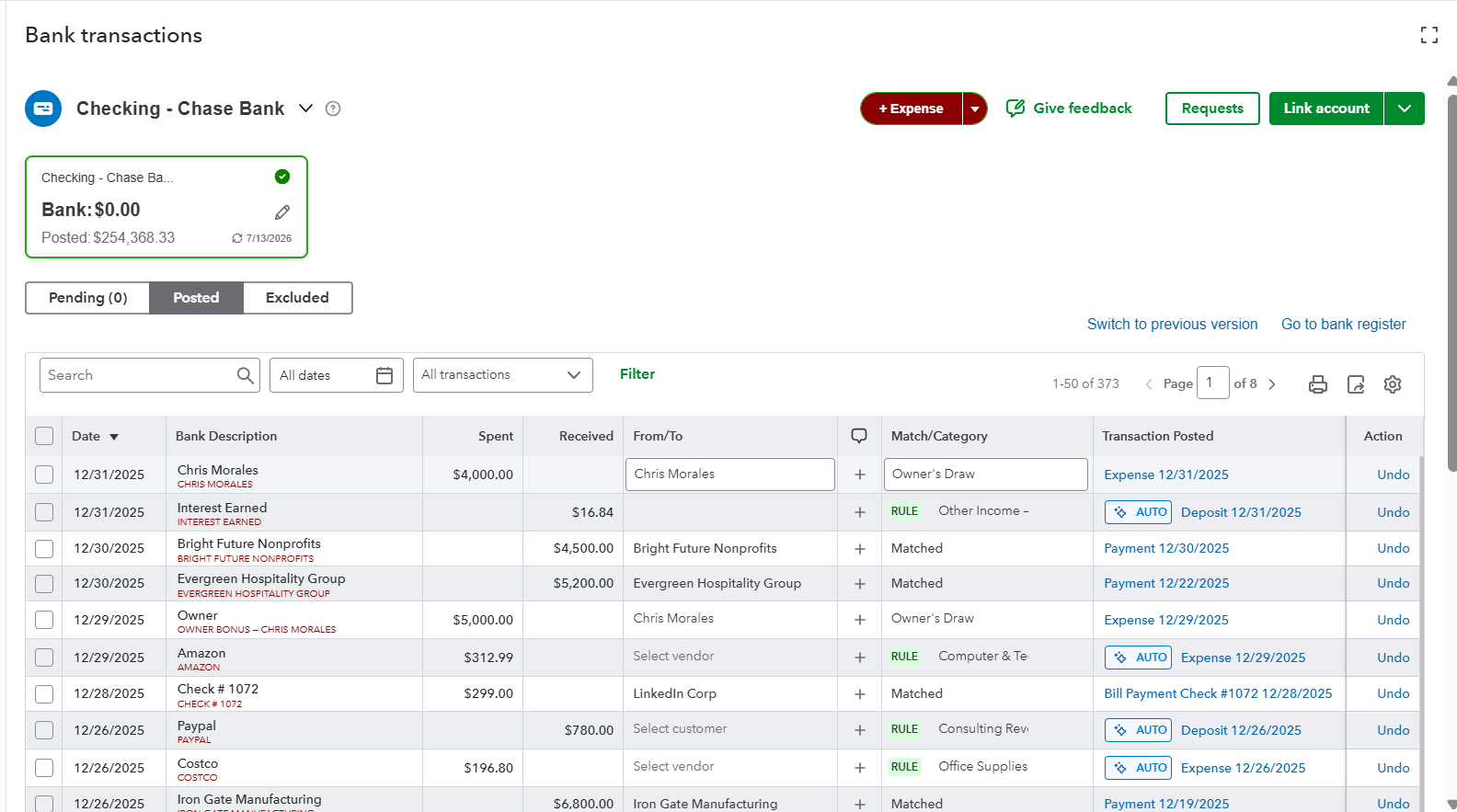
Record income and expenses.
- 4
Step 4
Categorize transactions correctly.
- 5
Step 5
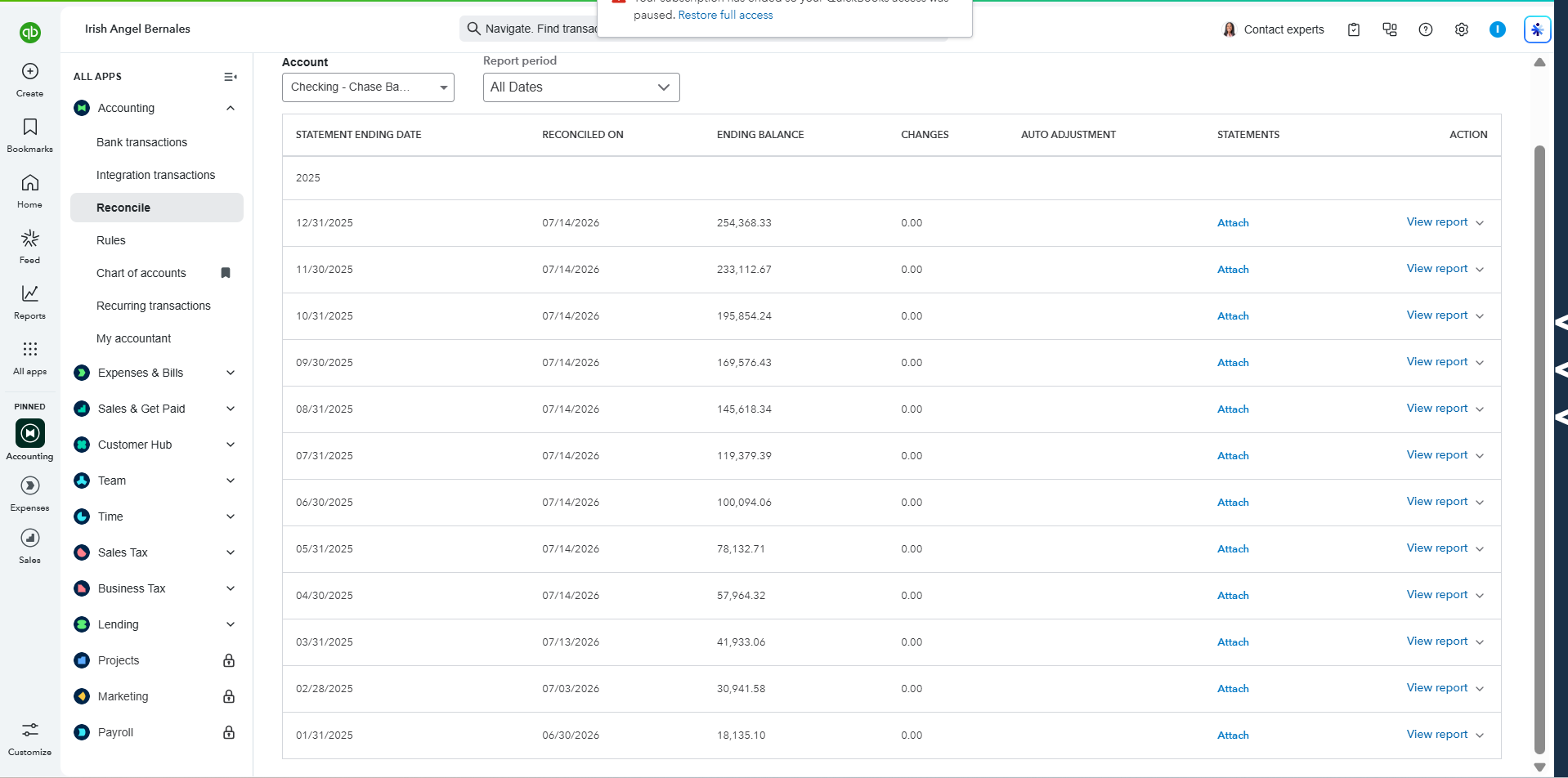
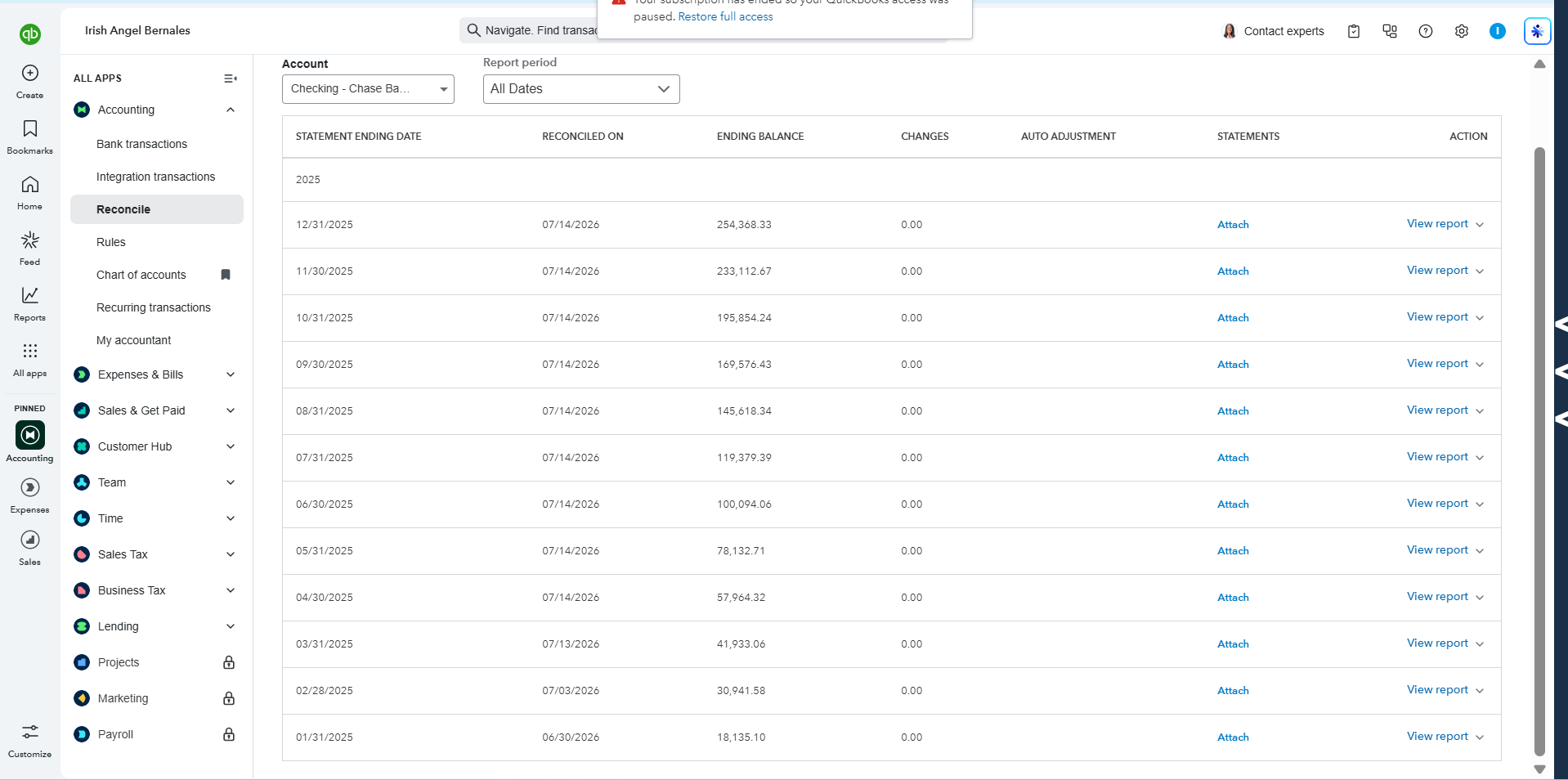
Reconcile the bank account.
- 6
Step 6
Review balances and correct discrepancies.
- 7
Step 7
Generate financial reports.
- 8
Step 8
Perform a final quality review.
What I actually did
Transaction Categorization
Accurately classified business income and expenses.
Bank Reconciliation
Matched transactions with bank statements.
Chart of Accounts Review
Organized accounts for accurate reporting.
Financial Reporting
Prepared key financial statements.
Month-End Review
Verified balances and account accuracy.
Turning messy books into clean, decision-ready records
- Unorganized transactions
- Missing categories
- Unreconciled bank account
- Incomplete financial records
- Organized books
- Properly categorized transactions
- Balanced accounts
- Accurate financial reports
- Professional bookkeeping workflow
The report package delivered
Applied in this project
Reflections from the project
This sample project strengthened my understanding of QuickBooks Online workflows and reinforced the importance of organized financial records, accurate transaction categorization, and timely reconciliations. It also improved my confidence in preparing reliable financial reports that support informed business decisions.
- Accurate bookkeeping starts with proper organization.
- Consistent reconciliation helps maintain reliable financial records.
- Well-structured reports support better decision-making.
- QuickBooks Online simplifies bookkeeping when used correctly.
- Attention to detail is essential in every bookkeeping process.
Disclaimer
This case study is based on a sample bookkeeping workbook created for educational and portfolio purposes. It does not represent work performed for an actual client, and no confidential or client information has been used.
Looking for a QuickBooks Online Bookkeeper?
Whether you're starting fresh, catching up on overdue books, or need ongoing monthly bookkeeping support, I'd be happy to help.